In this release
The building you are asked to rack usually arrives as a CAD file, and it is rarely a perfect rectangle. v1.10.0 takes both as they come. Forky AI reads DWG, DXF and TIFF drawings, a building can have angled walls, and the 2-way pallet shuttle is now a rack system you can lay out.
Forky AI Reads Your CAD Drawings
Attach a DWG or DXF wherever you would attach a PDF or a photo: in the app, or by dropping it on the RackCity AI homepage. A preview shows you the drawing, and Forky AI reads the lines along with the drawing's own units, layers, text and dimensions, then drafts the building. A scanned TIFF works the same way.
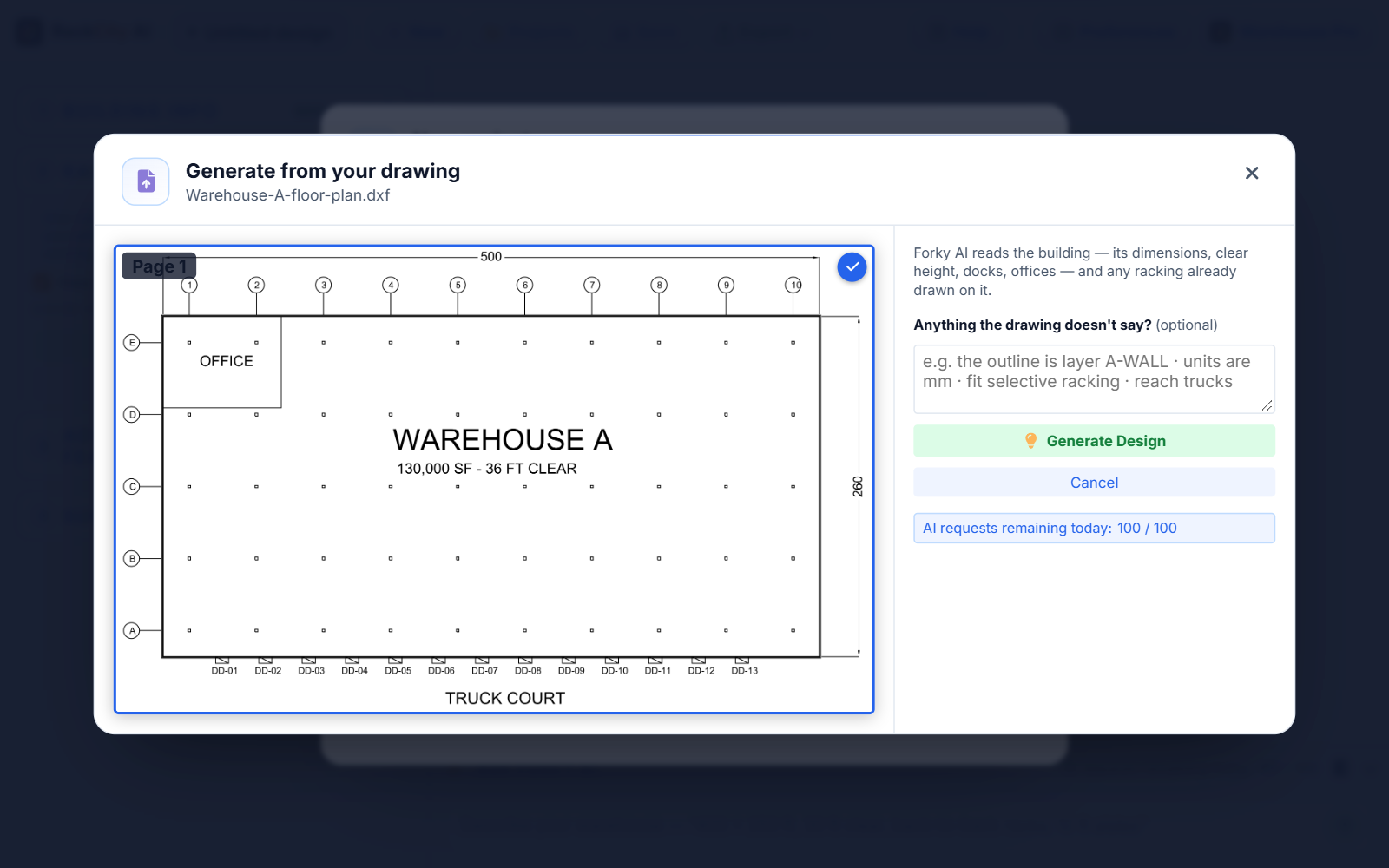
The drawing types now read PDF, PNG, JPG, TIFF, DWG and DXF, on every plan.
It goes the other way too. On the Enterprise plan, Export now has one CAD drawing row, and the naming dialog picks DWG or DXF, so a layout opens straight in your CAD program. The dialog remembers your last pick.
Angled Walls and Clipped Corners
A building no longer has to be a rectangle with notches. Drag a corner handle on the canvas to clip it to a diagonal: hold Shift for 45°, or drag to the wall's far end to angle the whole wall. Prefer numbers? Clip a corner in Building info › Clipped Corners and type the two legs.
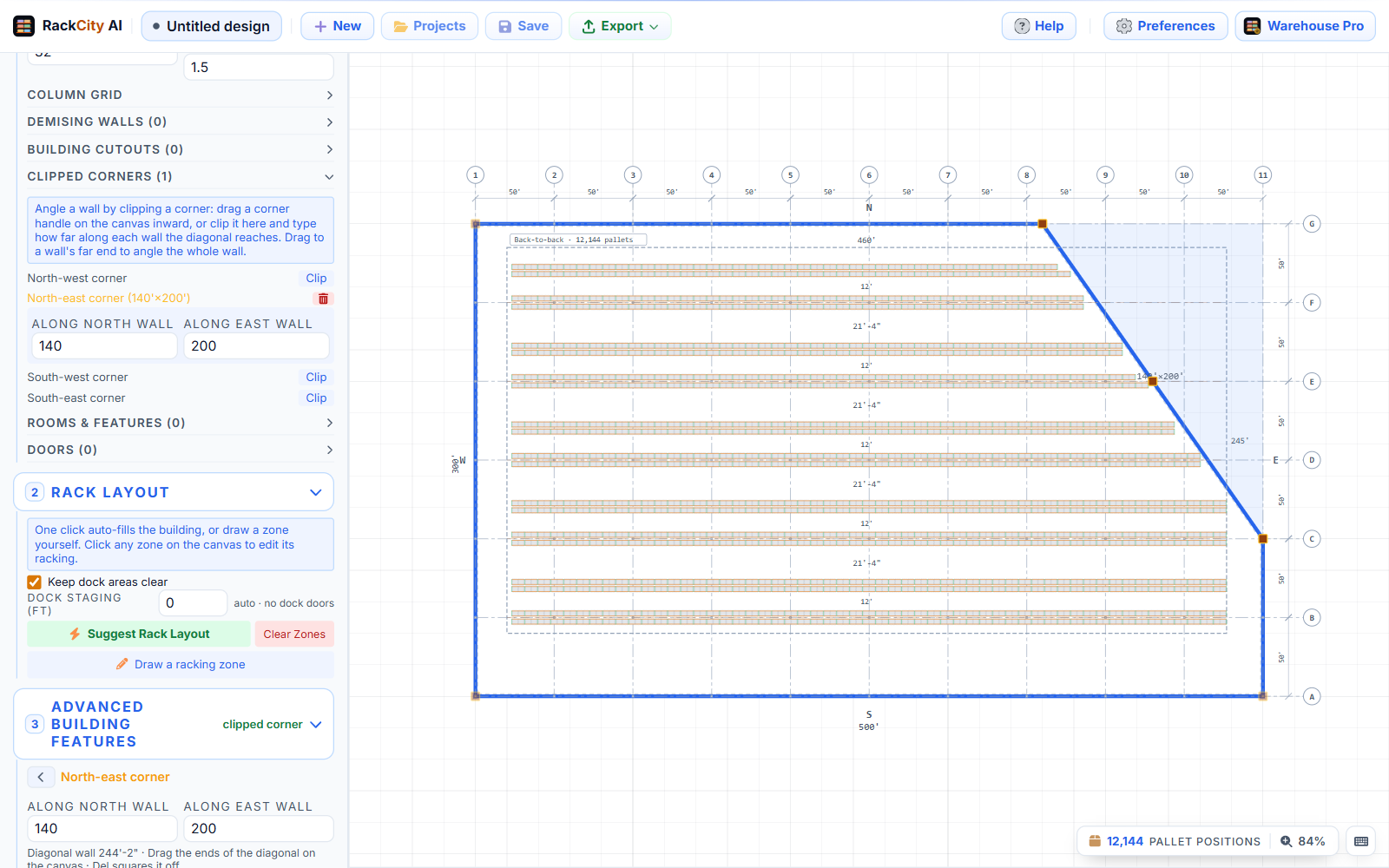
- Racking follows the wall. Rows fill up to the diagonal as a staircase and keep the wall clearance, measured square to it.
- Suggest Layout fills it. A trapezoid gets a full layout, and columns in the cut-off corner are dropped.
- Doors sit on the diagonal, and the floor area in the sidebar and on the Layout PDF is the real one.
- Forky AI knows the shape. Describe the angled wall or hand over a drawing that has one.
The Pallet Shuttle
The 2-way pallet shuttle is the seventh rack system, on every plan. It has drive-in's dense channels without the truck in the rack: a forklift sets a battery cart at the channel's mouth, and the cart carries each pallet along the rails. Run a lane last in, first out from one aisle, or first in, first out with an aisle at both ends.
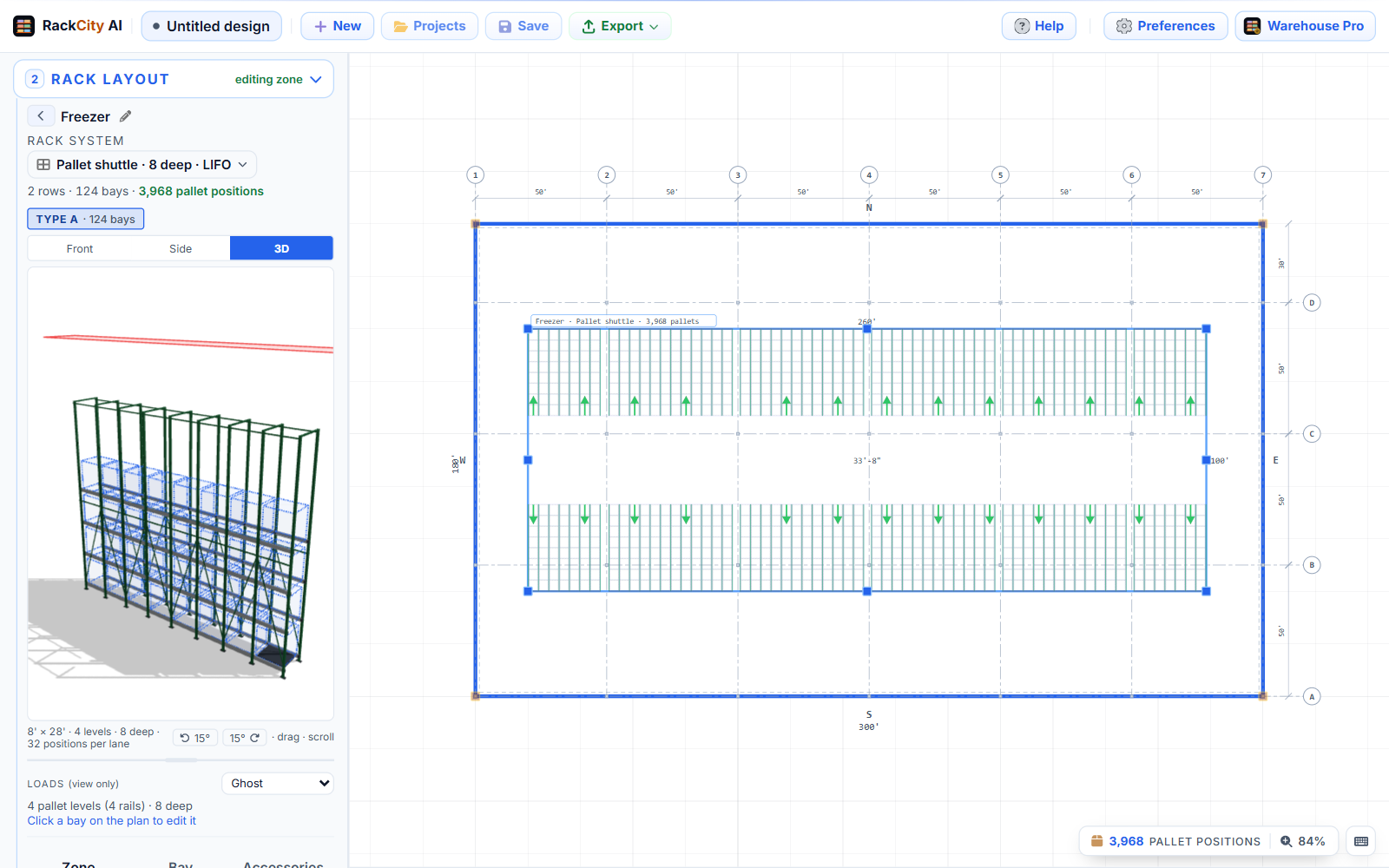
It has what every system has: the plan, the elevation with its rails and cart, the 3D bay, the drawing sheet and the Material List, and Forky AI builds it when you ask for it ("pallet shuttle, 20 deep, FIFO"). The Material List counts the rail channels and steel, and lists the carts, chargers and remote as planning allowances for you to replace with your supplier's quote.
Smaller Improvements Worth Knowing About
- Pick a rack system from the zone header. The system line is now a chip that opens six small plan views, one per system, and a zone's name renames right there with a pencil.
- Open a project from its row. Every row in My Projects has an Open button that loads the latest version straight away.
- The Door tool places one door per click. The new door lands selected so you can edit it; hold Shift to keep placing.
Frequently Asked Questions
Which plans can upload a DWG or DXF?
Every plan. Attach a DWG, DXF or TIFF wherever you would attach a PDF or a photo, and reading it counts as one AI request, the same as any drawing. Exporting your layout as a DWG or DXF is part of the Enterprise plan.
Can a whole wall be at an angle?
Yes. Drag a corner handle to the far end of a wall and the whole wall angles, so a trapezoid is one clipped corner and a parallelogram is two. You can also type the two legs in Building info under Clipped Corners.
Does a saved project change?
No. Your saved projects open as they were. Angled walls and the pallet shuttle are there when you choose to use them.
Are the pallet shuttle's cart prices real quotes?
No. The carts, chargers and remote are planning allowances on the Material List, marked as such and left alone by Fill prices. Replace them with your supplier's quote before the Material List goes out.