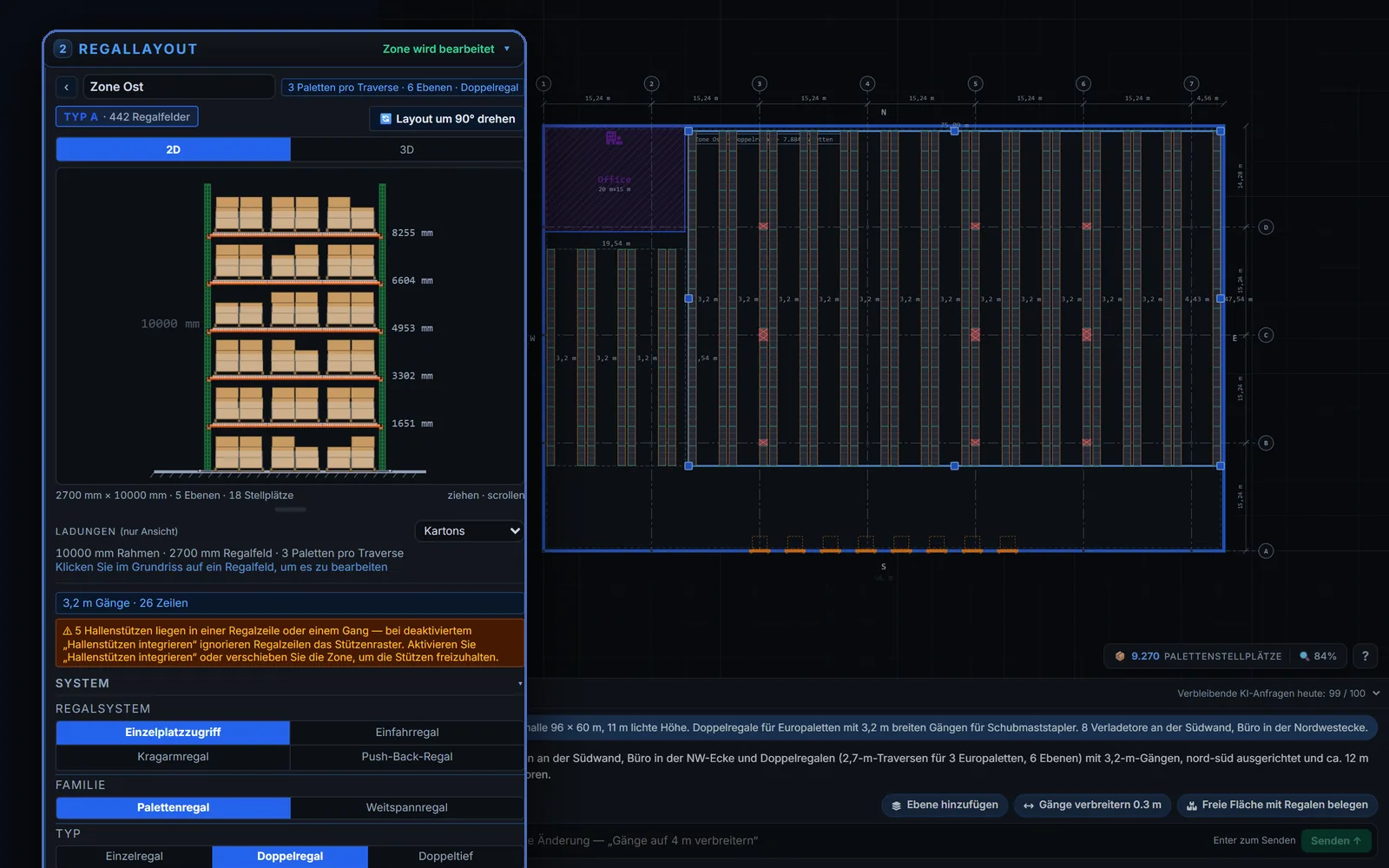
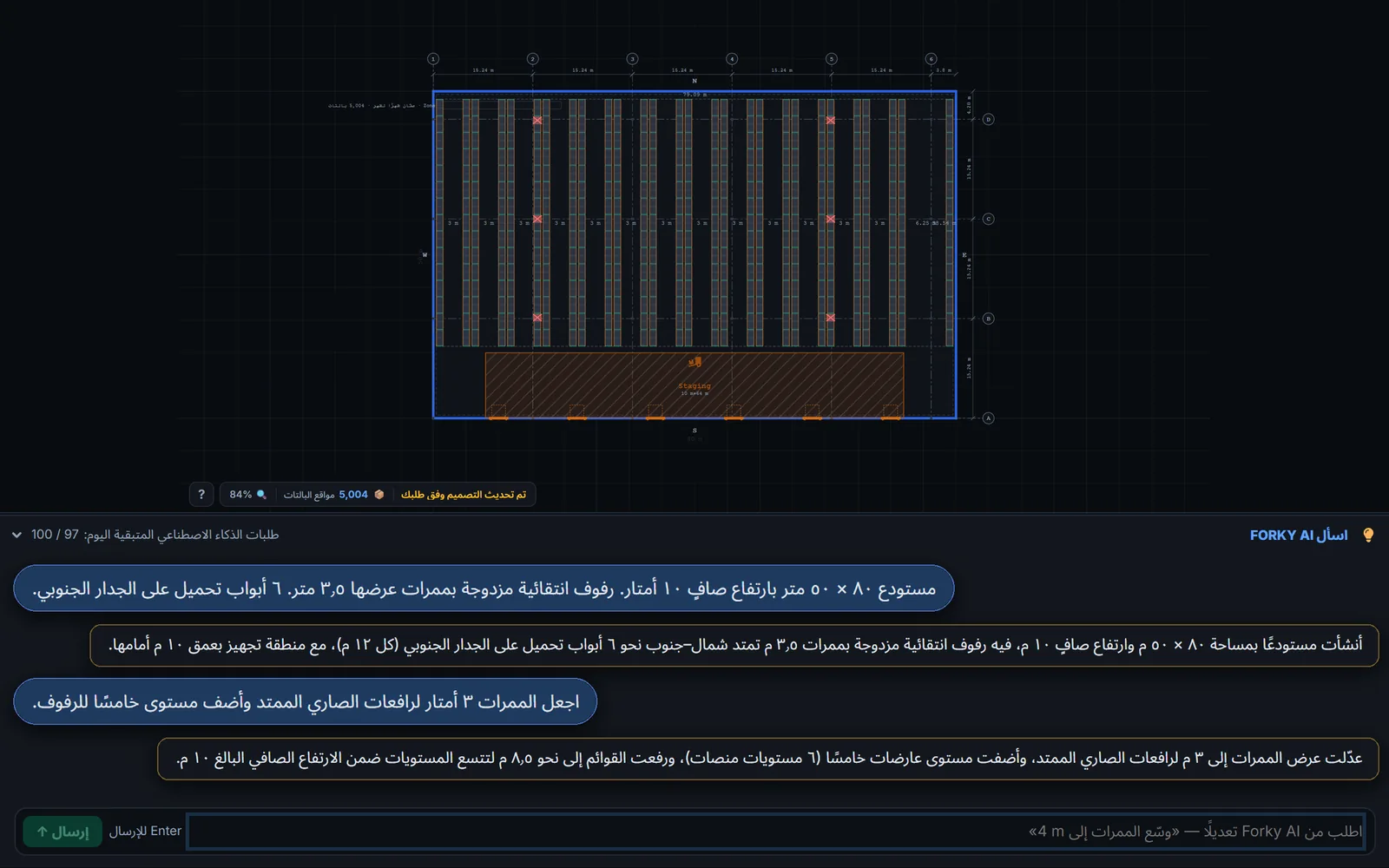
The whole app in your language
Every button, panel, message and setting in RackCity AI is translated, and in Hebrew, Arabic and Persian the whole screen is laid out right to left. Forky AI, the assistant that drafts your layout, replies in your language too, and it reads a message written in any language, not only these.
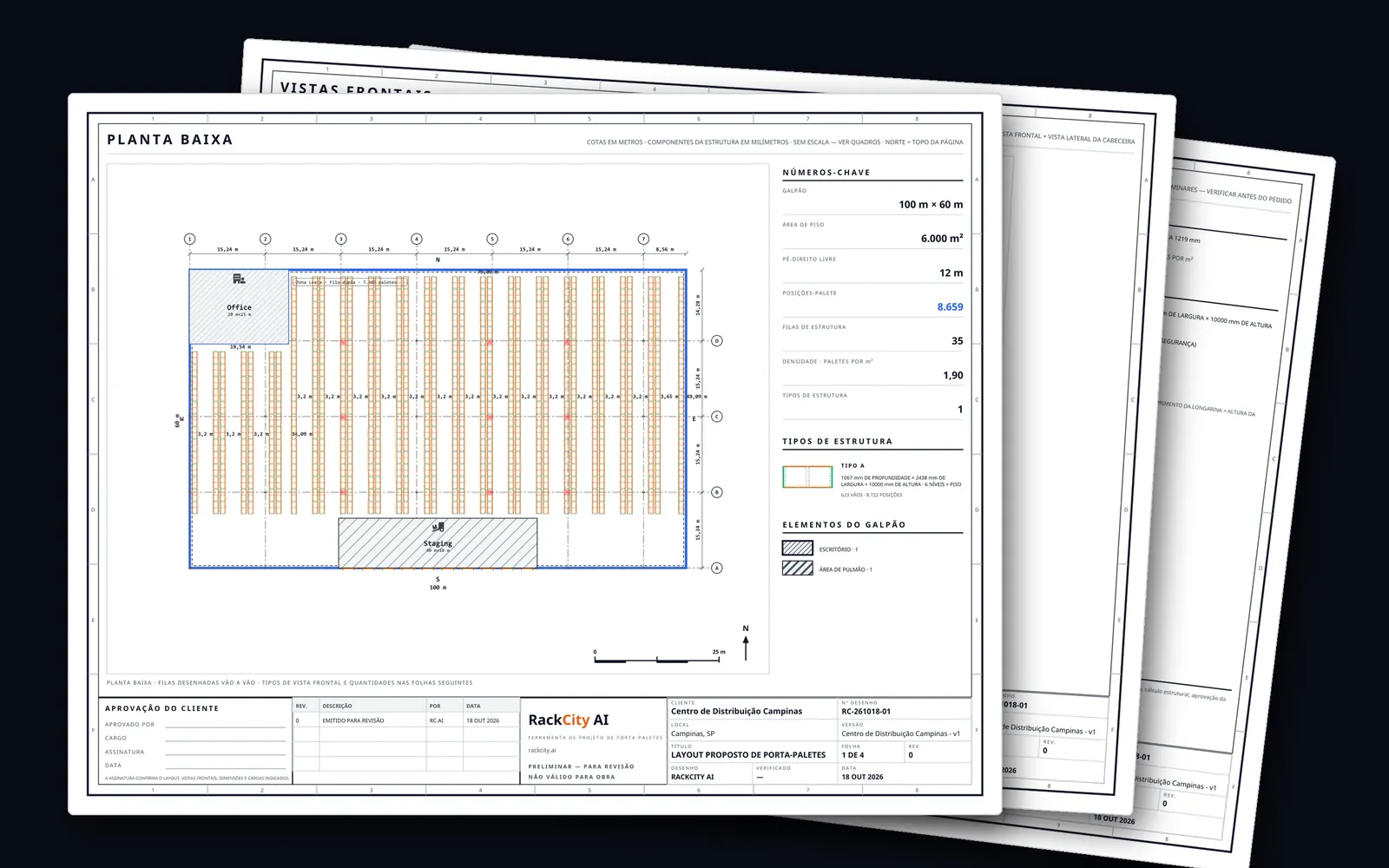
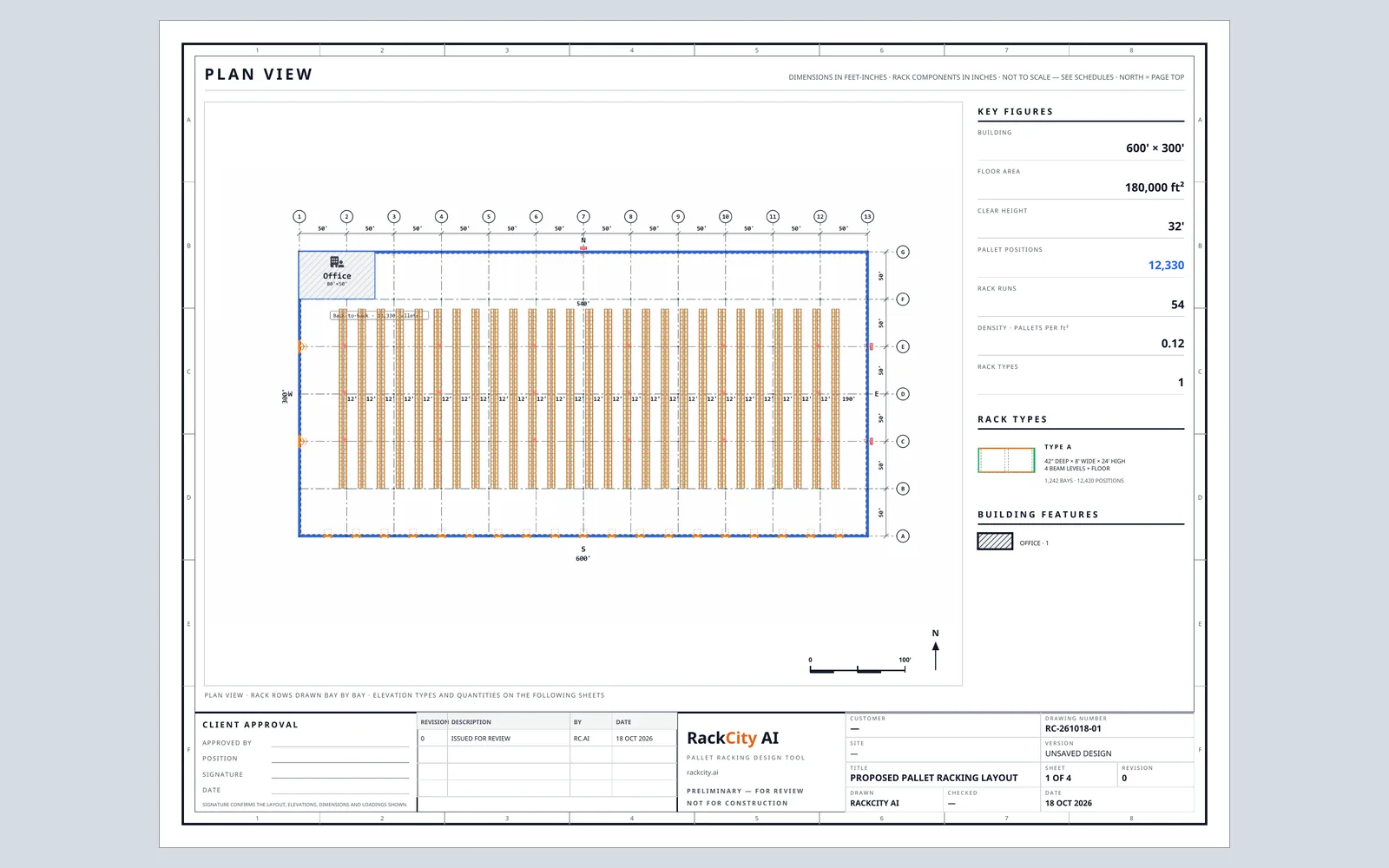
Click any language to see the same drawing set printed in it: the plan sheet below changes to that language, its units and its number and date formats.
North America & the UK
Europe
Middle East
Asia-Pacific & the Americas
- हिन्दी*
- ไทย*
- 日本語*
- 한국어*
- 中文(简体)*
- 中文(繁體)*
The Layout PDF and the Pricing Summary print in 29 of these languages: click one to see its plan sheet. The ones marked * print the PDFs in English for now.
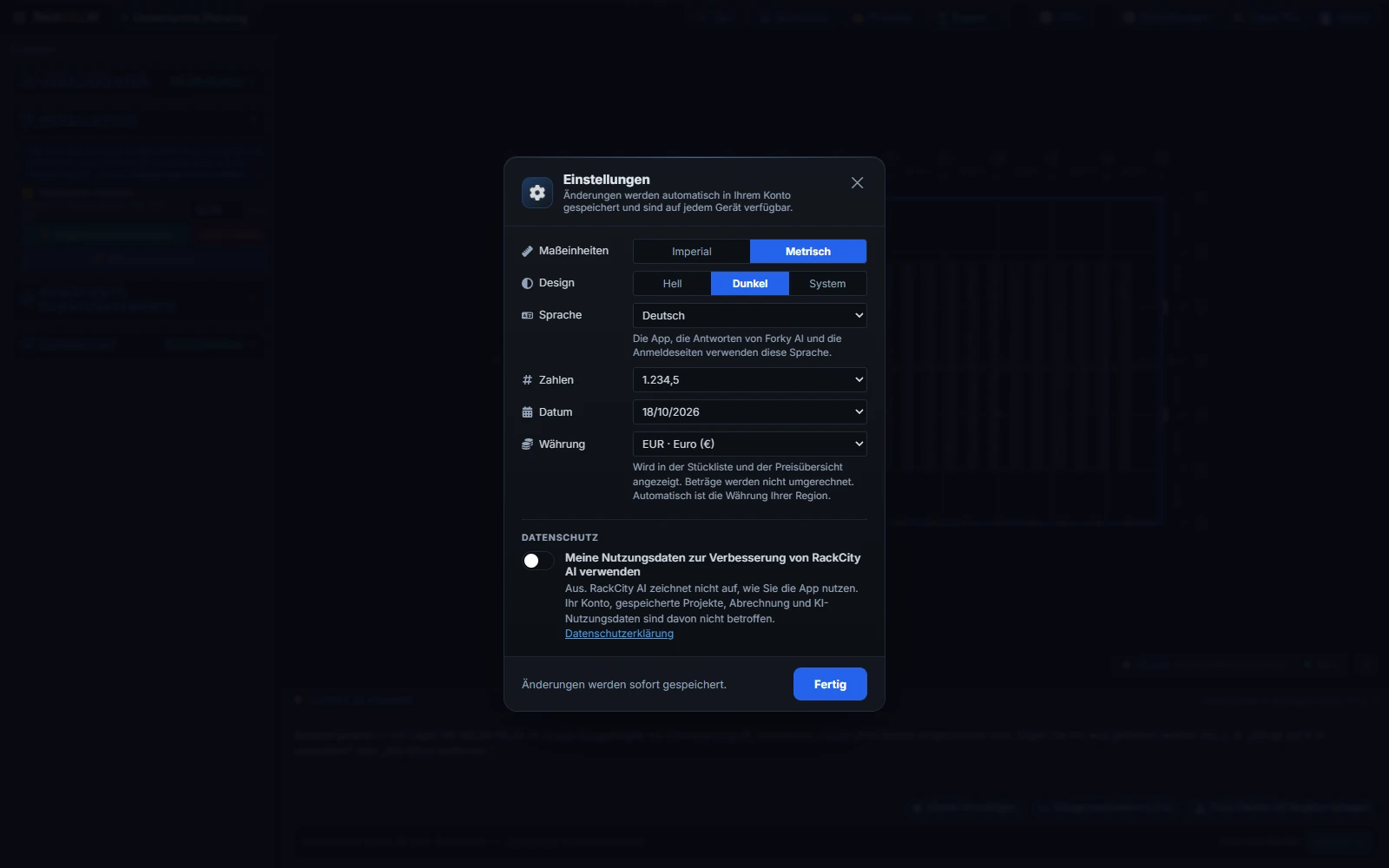
Set your language, units, currency and paper size in Preferences
Open Preferences, the gear on the toolbar. It holds six settings: Units, Language, Number format, Date format, Currency and Paper size. Each one is Automatic, from your browser and your region, until you pick a value, and the ones you pick are saved to your account, so they follow you to any browser you sign in from. The canvas, Forky AI, the Material List and the PDFs all change together, and the PDFs print on Letter or A4.
Design in metric or imperial
In imperial, RackCity AI works in feet and inches. In metric, the building, the aisles and the zones are in metres, and the frames, beams and pallets are in millimetres, the way rack is specified in metric markets. Euro and industrial pallets are built in, and the metric catalog rows are exact metric sizes, not rounded imperial ones. The Material List and every PDF are stamped with the units they were made in.
RackCity AI picks metric or imperial from your region the first time you open it, and Forky AI reads dimensions in either. The guide to pallet racking layout in metric walks through a metric design from the building to the material list.
Quote in your currency
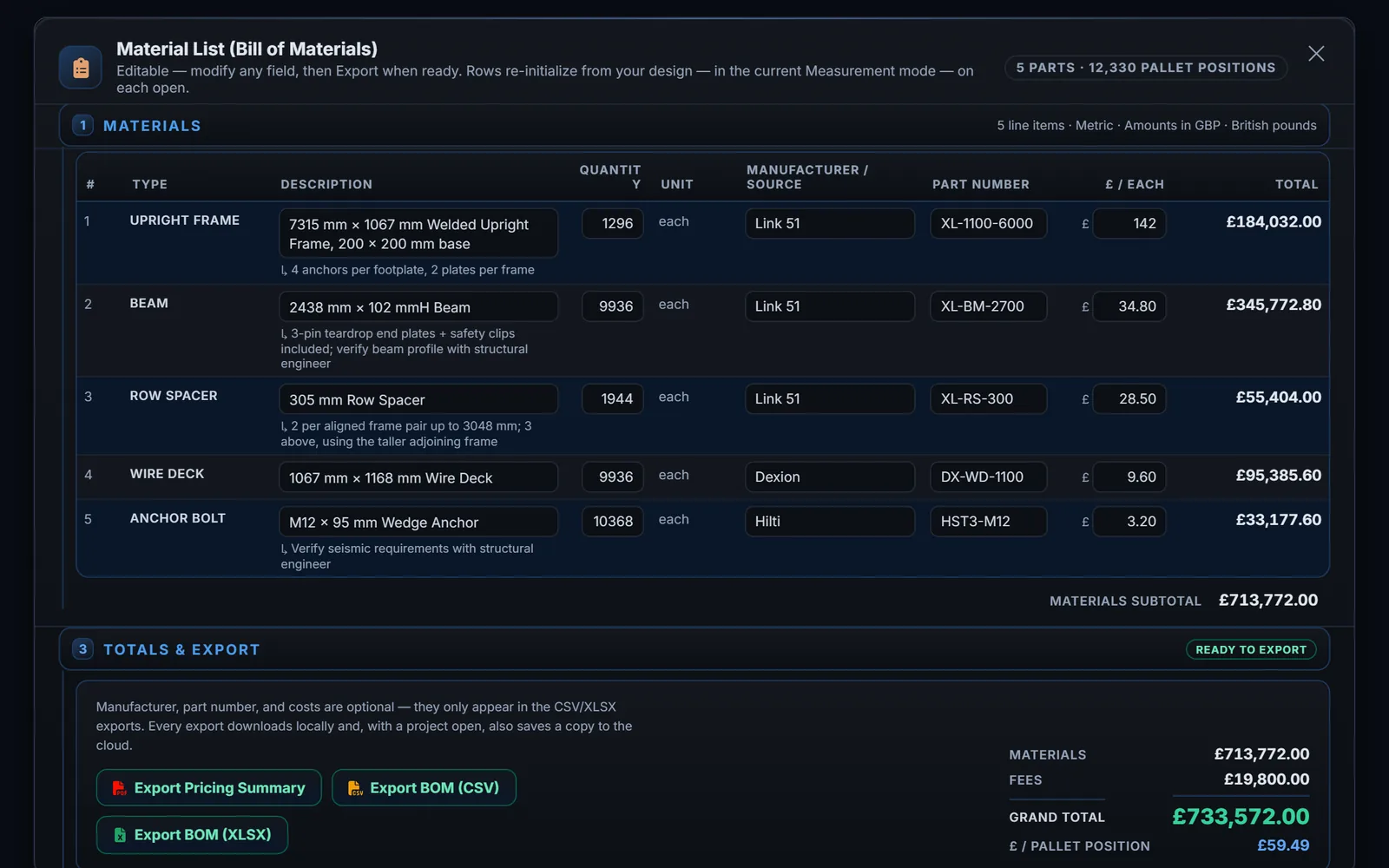
Price the material list in euros, dirhams or złoty, with the symbol and decimals your customer expects. The Material List, the Pricing Summary PDF and the Excel export show your prices in the currency you pick, under a line that names it, such as “Amounts in EUR · euros”. You type your own unit costs and fees, and RackCity AI shows them in your currency exactly as you entered them. The currency is chosen from your region until you pick one.
- $USDUS dollar
- $CADCanadian dollar
- $MXNMexican peso
- £GBPBritish pound
- €EUREuro
- CHFSwiss franc
- złPLNPolish złoty
- KčCZKCzech koruna
- FtHUFHungarian forint
- leiRONRomanian leu
- krSEKSwedish krona
- krNOKNorwegian krone
- krDKKDanish krone
- ₺TRYTurkish lira
- AEDUAE dirham
- SARSaudi riyal
- IRRIranian rial
- ₪ILSIsraeli shekel
- E£EGPEgyptian pound
- $ARSArgentine peso
- $AUDAustralian dollar
- R$BRLBrazilian real
- $CLPChilean peso
- ¥CNYChinese yuan
- $COPColombian peso
- $HKDHong Kong dollar
- ₹INRIndian rupee
- RpIDRIndonesian rupiah
- ¥JPYJapanese yen
- RMMYRMalaysian ringgit
- $NZDNew Zealand dollar
- ₦NGNNigerian naira
- S/PENPeruvian sol
- ₱PHPPhilippine peso
- $SGDSingapore dollar
- RZARSouth African rand
- ₩KRWSouth Korean won
- ฿THBThai baht
- ₫VNDVietnamese dong
RackCity AI plans themselves are priced in US dollars; see the pricing page.
Numbers and dates the way you write them
Counts, prices and dimensions follow your number format, and dates on the material list and the PDFs follow your date format. Both come from your language until you choose.
Number formats
- 1,234.5
- 1.234,5
- 1 234,5
- 1'234.5
Date formats
- 10/14/2026
- 14/10/2026
- 2026-10-14
Frequently asked questions
Which languages does RackCity AI work in?
34 languages. Every button, panel, message and setting is translated, Preferences included, and Hebrew, Arabic and Persian are laid out right to left. RackCity AI picks the language from your browser; change it any time in Preferences.
Does Forky AI understand my language?
Yes. Write to Forky AI in any language, not only the ones the app is translated into, and it replies in your language: the one you chose in Preferences, or else the one you write in. It reads the building and rack facts in your message the same way whatever language they are in.
Can I design in metric?
Yes. In metric the building, the aisles and the zones are in metres and the frames, beams and pallets in millimetres, with Euro and industrial pallets and catalog rows that are exact metric sizes. RackCity AI picks metric or imperial from your region. The guide to pallet racking layout in metric walks through it.
Are the PDFs translated?
The Layout PDF and the Pricing Summary print in 29 languages, right to left ones included. Today हिन्दी, ไทย, 日本語, 한국어, 中文(简体) and 中文(繁體) print the PDFs in English while the app itself stays in your language.
Can I quote in my currency?
Yes, in any of 39 currencies. The Material List, the Pricing Summary PDF and the Excel export show your prices with that currency's symbol and decimals, under a line that names it, such as "Amounts in EUR · euros". You enter your own prices; RackCity AI shows them in your currency exactly as you typed them.
Does RackCity AI work for rack projects in the United Kingdom?
Yes. RackCity AI runs in British English. The Layout PDF and the Pricing Summary print in British English. A first visit from the United Kingdom starts in metres and millimetres with prices in British pounds (GBP) and PDFs on A4; change any of it in Preferences.
Is there pallet racking design software in German?
Yes. RackCity AI runs in German (Deutsch), and Forky AI answers in German. The Layout PDF and the Pricing Summary print in German. A first visit from Germany starts in metres and millimetres with prices in euros (EUR) and PDFs on A4; change any of it in Preferences.
Is there pallet racking design software in Turkish?
Yes. RackCity AI runs in Turkish (Türkçe), and Forky AI answers in Turkish. The Layout PDF and the Pricing Summary print in Turkish. A first visit from Turkey starts in metres and millimetres with prices in Turkish lira (TRY) and PDFs on A4; change any of it in Preferences.
Is there pallet racking design software in Arabic?
Yes. RackCity AI runs in Arabic (العربية), laid out right to left, and Forky AI answers in Arabic. The Layout PDF and the Pricing Summary print in Arabic. A first visit from Saudi Arabia starts in metres and millimetres with prices in Saudi riyals (SAR) and PDFs on A4; change any of it in Preferences.
Is there pallet racking design software in Brazilian Portuguese?
Yes. RackCity AI runs in Brazilian Portuguese (Português (Brasil)), and Forky AI answers in Brazilian Portuguese. The Layout PDF and the Pricing Summary print in Brazilian Portuguese. A first visit from Brazil starts in metres and millimetres with prices in Brazilian reais (BRL) and PDFs on A4; change any of it in Preferences.
Is there pallet racking design software in Spanish?
Yes. RackCity AI runs in Spanish (Español (Latinoamérica)), and Forky AI answers in Spanish. The Layout PDF and the Pricing Summary print in Spanish. A first visit from Mexico starts in metres and millimetres with prices in Mexican pesos (MXN) and PDFs on Letter; change any of it in Preferences.
Is there pallet racking design software in Polish?
Yes. RackCity AI runs in Polish (Polski), and Forky AI answers in Polish. The Layout PDF and the Pricing Summary print in Polish. A first visit from Poland starts in metres and millimetres with prices in Polish złoty (PLN) and PDFs on A4; change any of it in Preferences.
What does a RackCity AI plan cost in my currency?
RackCity AI plans are priced in US dollars: Solo $29/month and Warehouse Pro $99/month, with a Free plan to start. Stripe Checkout shows what your card will be charged. Every plan is on the pricing page.
Where do I change these settings?
Open Preferences, the gear on the toolbar: Units, Language, Number format, Date format and Currency, each Automatic until you pick one. Your choices are saved to your account, so they follow you to any computer.