In this guide
- Why warehouse capacity planning fails
- The annual planning cycle
- Scenario 1: How much runway does the current building have?
- Scenario 2: Same building, denser configuration
- Scenario 3: New building — what size do you need?
- Step 4: Build the capital request
- Comparing current vs. proposed
- Frequently asked questions
Why Warehouse Capacity Planning Fails
The usual process: pull the inventory history, find the peak pallet count, add a growth allowance, multiply by a per-position figure from a two-year-old quote, and put the number on a slide.
Nothing in that chain touches the building. You may know you need 3,000 positions; you don't know whether 3,000 fit in the building on the shortlist, how many beam levels its clear height really allows once the sprinkler line is accounted for, or whether its column grid forces the rows into an arrangement that costs a tenth of the count. The plan is arithmetically tidy and spatially blind, and the surprise arrives after the lease is signed.
The fix is to draw it. RackCity AI, which we build, is the tool used in the examples below; the method — baseline, scenarios, count, price — works with any tool that puts racking into a real footprint.
The Annual Planning Cycle
Most operations teams do this once a year, at budget time or when a lease renewal looms, and the questions don't change much:
- Can the current building carry the projected volume?
- What would it cost to add capacity in place — more levels, a denser rack?
- If we move, what size building, at what clear height?
- What is the capital ask for the racking itself?
Each is a layout with a count on it. Each takes minutes.
Scenario 1: How Much Runway Does the Current Building Have?
Start from what you have:
- Enter the building's dimensions and clear height, or open the project if it's already drawn
- Set the racking as installed — rack type, beam length, levels, aisle width
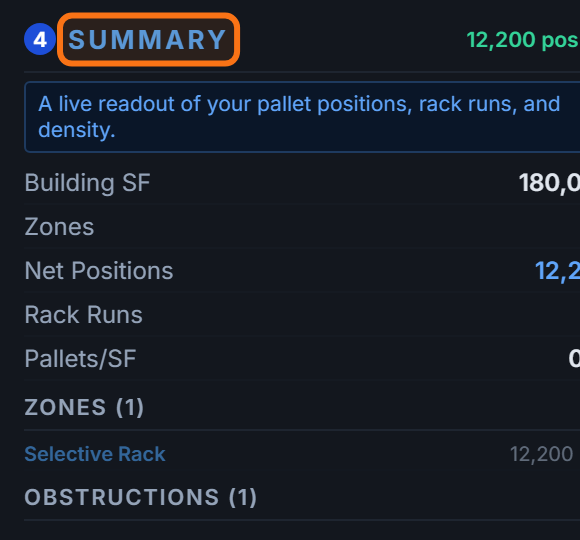
- Read the position count. That is the baseline every scenario below is measured against
Then draw the most the building can hold:
- Raise the beam levels to what the clear height allows (the panel tells you when a frame is too tall for the roof)
- Add zones on any floor that isn't racked today — oversized staging, an empty corner, the bay behind the office
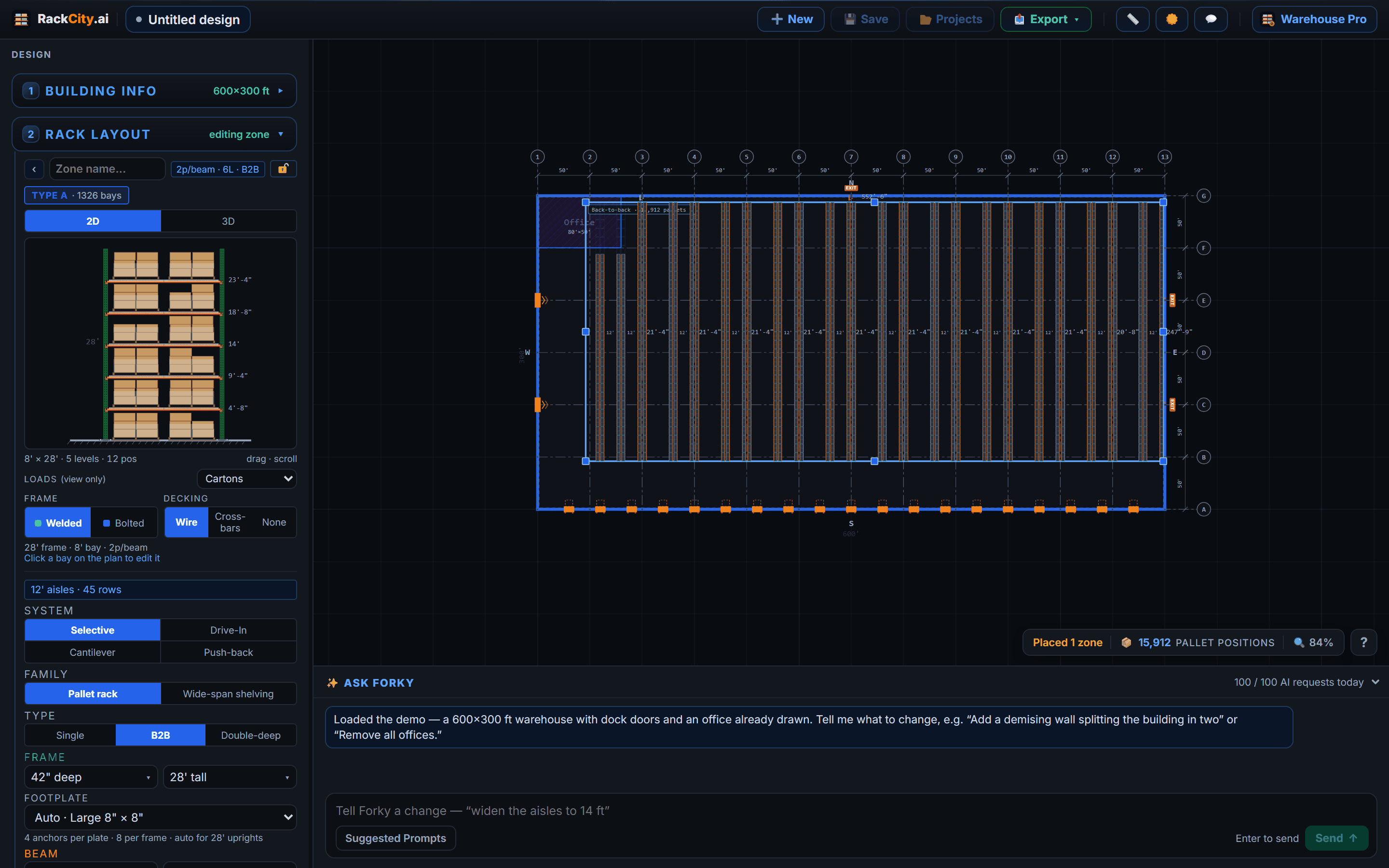
The gap between the two counts is your runway. At 2,200 positions today with a ceiling of 2,800, you have 600 positions of growth in the building you already lease — and, against your growth rate, a date by which you need the next one. That date is the real output of this scenario.
Scenario 2: Same Building, Denser Configuration
Sometimes the height is used up and the answer is a different rack, or a different truck.
| Configuration change | Effect on position count | Tradeoff |
|---|---|---|
| Single-deep → B2B | +20–30% | Same forklift, same selectivity; one aisle now serves two rows |
| B2B → double-deep | +30–40% | Reach truck with a pantograph; the rear pallet is behind the front one |
| 12 ft aisles → 10 ft aisles | +10–15% | Reach trucks instead of counterbalance |
| 10 ft → 6 ft VNA | +20–30% | Turret trucks with wire or rail guidance in the floor |
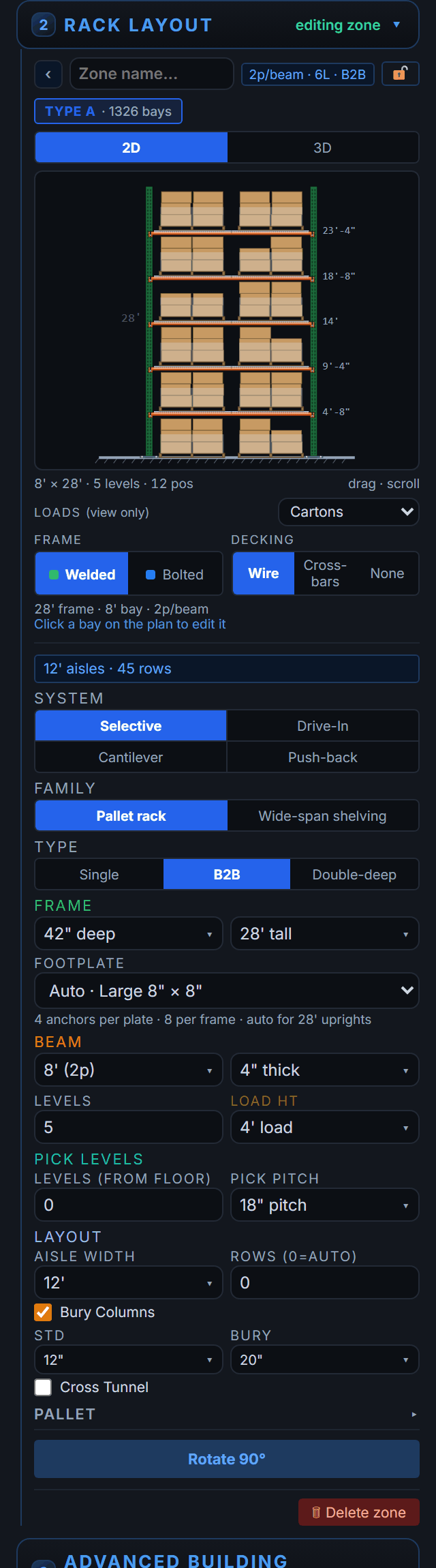
A 300 × 200 ft building (60,000 sq ft) racked single-deep at four levels holds about 2,600 positions. Redrawn back-to-back at five levels it holds about 4,050 — 56 % more from the same slab, with the same reach trucks. The steel to do it — taller frames, the extra beam level, row spacers for the pairs — is in the Bill of Materials before a contractor is called.
To see what the denser patterns look like on real floors, the layout examples show eight, with the square feet per position each one lands on.
Scenario 3: New Building — What Size Do You Need?
The current building is out of runway. Leadership wants to know what to look for and what it will cost.
Start from the target: today's peak pallets, grown at your rate over the planning horizon. Then size the building to it:
- Draw a trial building and read the count; adjust the footprint until it meets the target
- Try a taller clear height — six levels under 32 ft usually beats four under 24 ft on a floor a third smaller, and the rent follows the floor
- Draw the docks, the staging strip and the office before you trust the number, so it is effective capacity, not gross square footage
What comes out is a sentence leadership can act on: "A 400 × 250 ft building at 32 ft clear holds about 9,000 positions with back-to-back racking at six levels, at roughly $100 a position installed." That is a proposal, not a guess with a growth factor on it.
Build the Capital Request
With the chosen scenario drawn, the supporting documents come out of the same project.
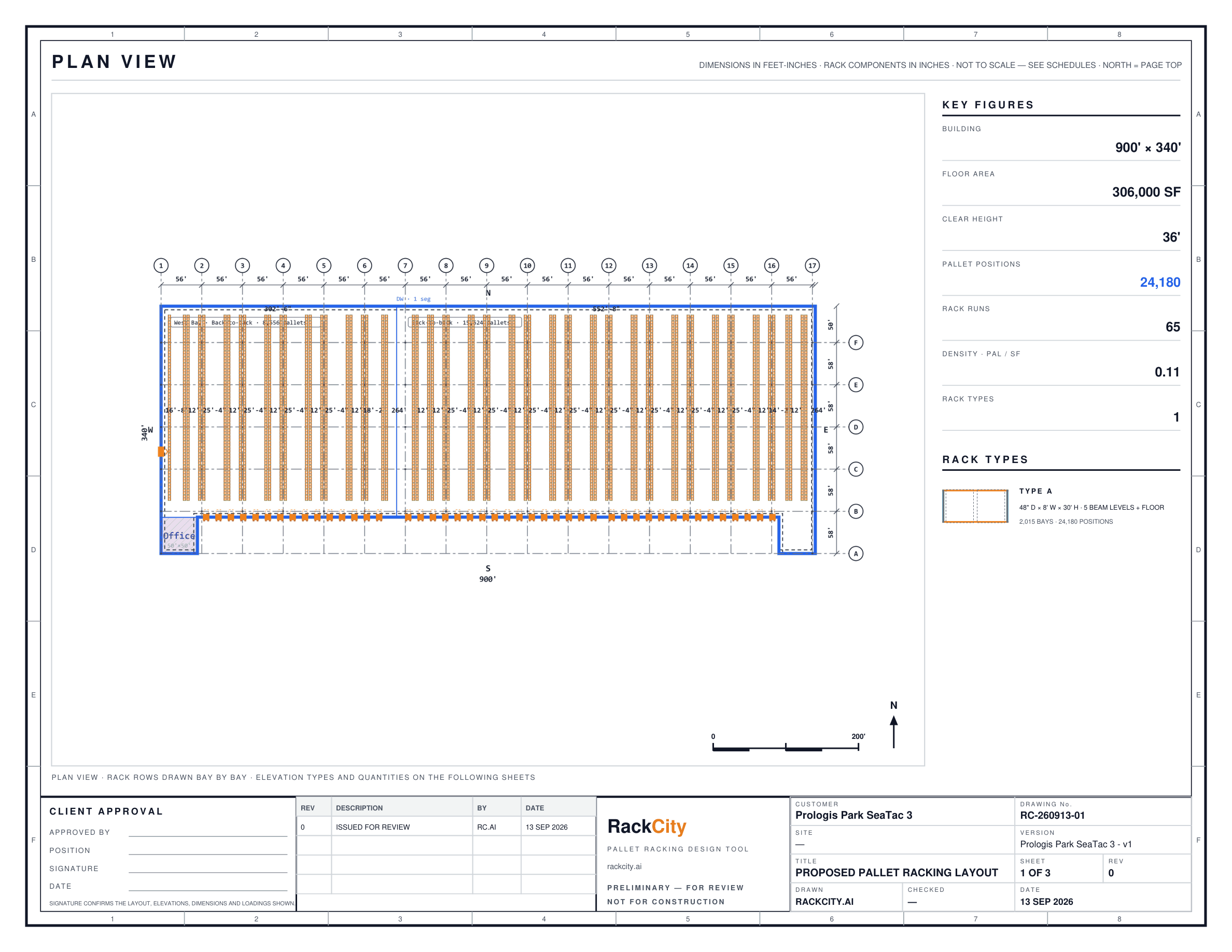
Layout PDF — floor plan. The top-down drawing with zones, aisle widths and position counts. It is the visual in the deck: leadership sees where the racking goes, not a number on a slide.
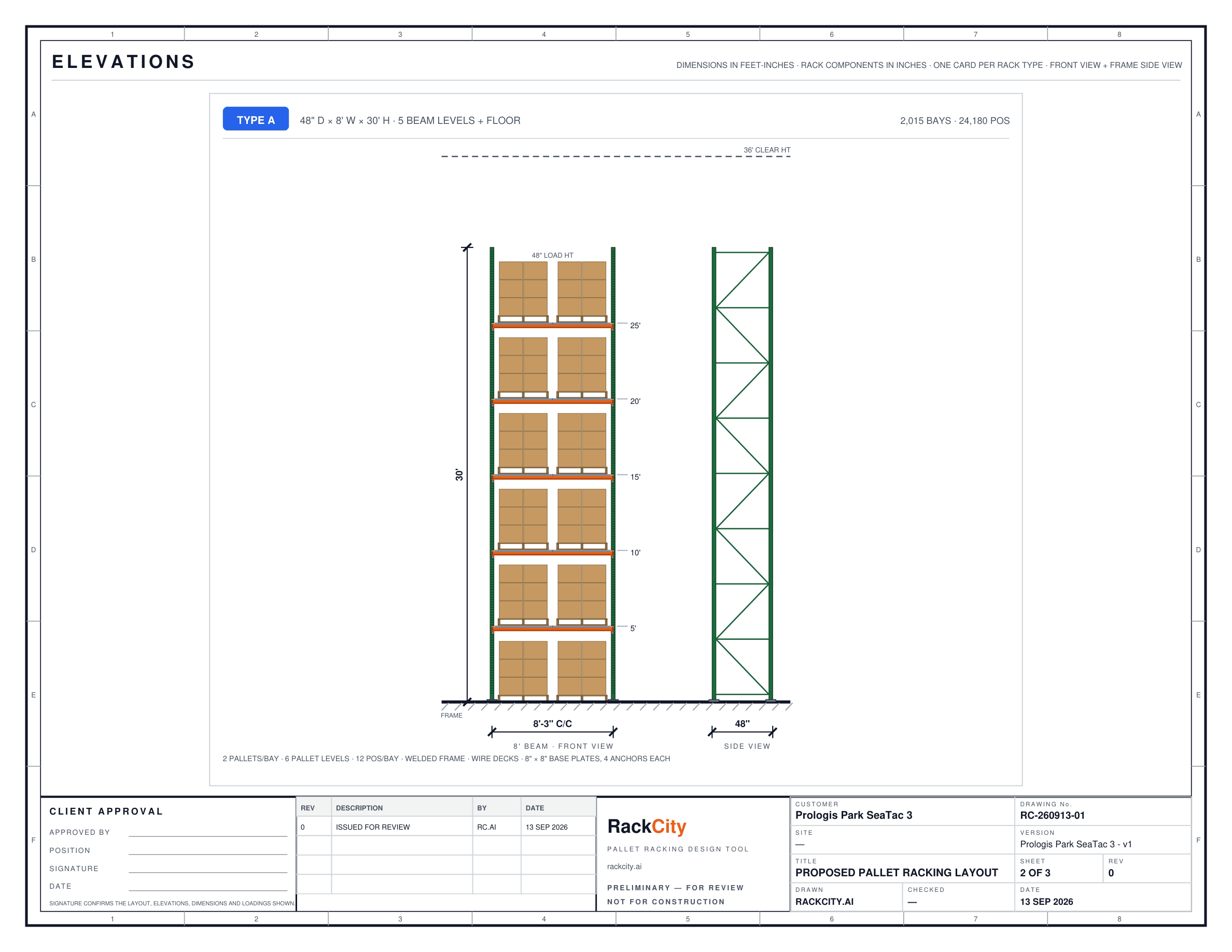
Layout PDF — elevation drawings. In the same file, an elevation for each rack type showing the frame height, the beam levels and the loads. The permit engineer confirms clearances from it; the racking contractor checks the spec against it.
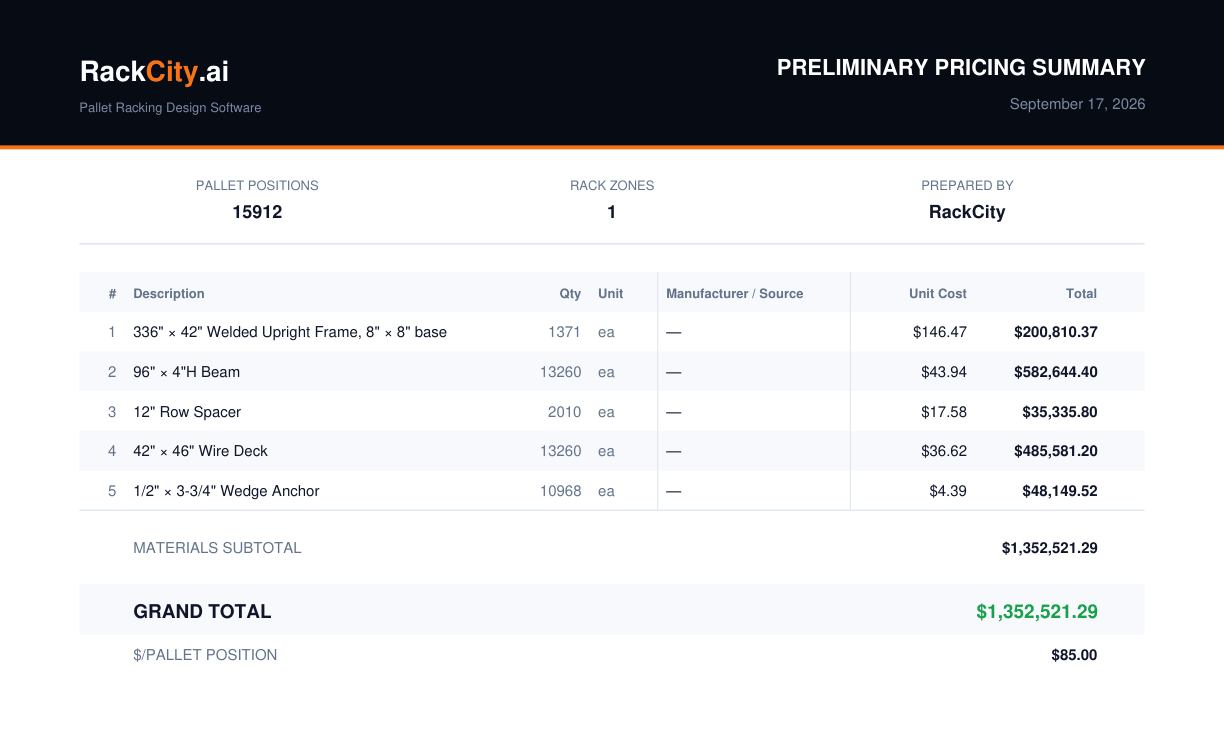
Bill of Materials and Pricing Summary. Every frame, beam, deck, spacer and anchor the layout needs, with your unit prices and fee lines — installation, freight, engineering and permits — totalled. A capital number built from a count, not a per-position figure extrapolated from a quote someone remembers.
Comparing Current vs. Proposed
For a renew-or-move decision, the most useful page is the two buildings side by side:
| Metric | Current building | Proposed building |
|---|---|---|
| Footprint | 250 × 180 ft (45,000 sq ft) | 400 × 250 ft (100,000 sq ft) |
| Clear height | 24 ft | 32 ft |
| Racking config | B2B, 4 levels | B2B, 6 levels |
| Pallet positions | ~3,000 | ~9,000 |
| Sq ft per position | 15 | 11 |
| Racking capital (est.) | — | ~$900,000 |
| Annual rent / position | $120 (at $8.00/sq ft) | $100 (at $9.00/sq ft) |
Both columns come from two saved projects. The proposed building costs more per square foot and less per pallet, because six levels under 32 ft use the floor better than four under 24 — the argument for moving, in one row. Print both floor plans beside the table and the conversation has something to point at.
Frequently Asked Questions
How do I calculate warehouse storage capacity?
Count the pallet positions the racking gives you — bays × beam levels × pallets per bay, less the bays lost to columns, doors and tunnels — and set that against the pallets you hold at peak. Square footage alone won't tell you, because clear height and aisle width move the count by half or more. A layout of the building at your rack spec gives the number directly, and updates it when the spec changes.
What is a good storage density for a warehouse?
About 8–16 sq ft of building per pallet position for back-to-back selective racking; a well-drawn floor at four levels lands at 12–15. Double-deep gets to 9–11, very-narrow-aisle with turret trucks lower still. Below 8 usually means a specialised truck and a tall building; above 16 usually means wide aisles, low clear height, or a lot of floor spent on docks, staging and offices — which may be exactly what the operation needs.
How do I compare two warehouse buildings for storage capacity?
Draw both with the same rack spec — same beam, same aisle, as many levels as each clear height allows — and compare the position counts rather than the square footage; the count carries the clear height, the column grid and the docks that the footage hides. Then divide each building's rent by its count for cost per pallet position per year. Save each as a cloud project so the comparison can be reopened when the terms change.
How far ahead should I plan warehouse capacity?
Two to three years, aligned with the lease. Three to five for a move: a new building's permits, racking and fit-out take the better part of a year on their own. Set the target as today's peak pallets grown at your rate over that horizon, then size the building from the target — drawing trial footprints until the count meets it — rather than picking a building and hoping the count follows.
What is the cost to add another beam level to existing racking?
If the uprights are tall enough, it is a beam pair and decking per bay plus a re-permit — often $15–$30 per new position, the cheapest capacity you will ever buy. If the frames are already at their top, it is a re-rack: new frames, every beam moved, and the down-time while it happens. Draw the current spec and the new one and the Bill of Materials shows the difference line by line.
Can I model a mezzanine or multi-level pick area in RackCity AI?
As a footprint with a deck height, yes. Draw a mezzanine from the Advanced Building Features chips and pallet racking keeps clear of it; wide-span shelving can stand under the deck, capped at its underside, or on top of it as its own zone on the Mezzanine level, and a stairs footprint snaps to the deck edge. The mezzanine steel itself and pallet rack up on the deck are outside the count and the bill of materials.